Lenovo South Africa Channel Awards
Congratulations to our Server Team. Distributor of The Year!







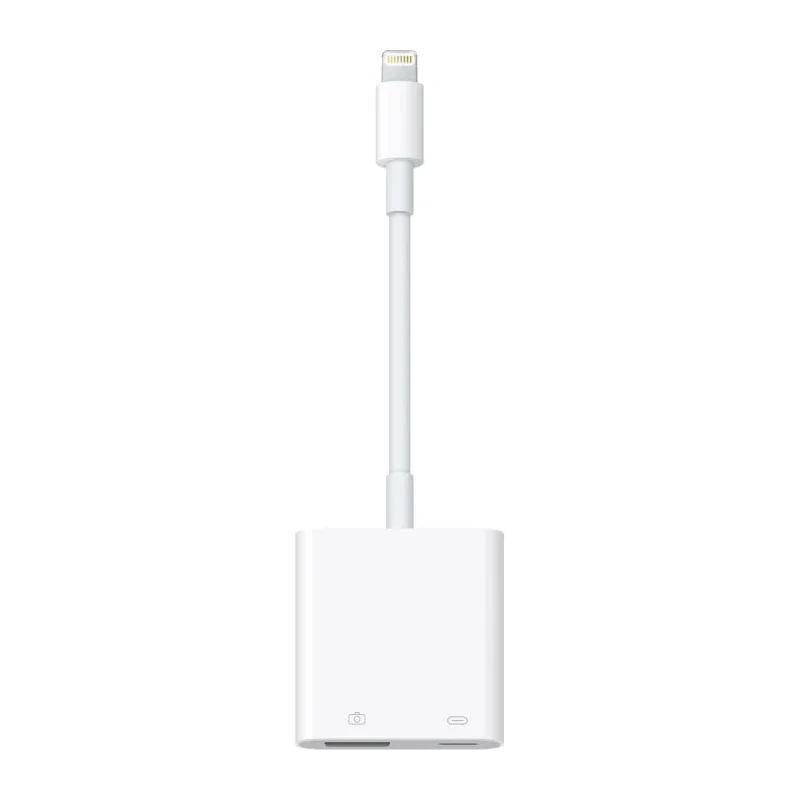
The APPLE Lightning to USB 3 Camera Adapter, part number MX5J3ZM/A, is a genuine Apple accessory for connecting a USB camera to a device that has a Lightning port. Many Apple users want to use an external camera for better image quality, a different viewing angle, or a specific capture task. This adapter provides a direct physical link between a USB 3 camera and the Lightning connector on a compatible Apple device.
Lightning has been the charging and data connector on many iPhone and iPad models for years. It is not a standard USB port, so a dedicated adapter is needed to connect ordinary USB peripherals. This adapter fills that gap. One end plugs into the Lightning port, and the other end accepts a USB 3 camera cable, letting the camera send its signal to the Apple device.
The adapter suits anyone who wants to use an external USB camera with an Apple device. Common uses include:
The supplier description is short and does not list the exact devices, iOS or iPadOS versions, or camera models that work with this adapter. Before ordering, check that your Apple device has a Lightning port and that your camera is a USB camera that can be used with Apple devices. Check also that the camera’s own drivers or apps are compatible. A quick review of the camera’s specifications and the device’s system requirements will help you avoid a mismatch.
Connect the Lightning end of the adapter to your device first. Then plug the USB 3 camera cable into the other end. Most setups then use a compatible camera app or the built-in software that supports external cameras. Keep the cable routed so it does not pull on the Lightning port, as repeated strain can damage the connector over time.
The adapter is a small accessory, so store it in a pouch or with your other cables to avoid losing it. It works best when kept clean and dry, with the connectors free from dust and lint.
This adapter is useful for creative professionals, teachers, small business owners, and anyone who needs a flexible camera setup with an Apple device. It is a practical way to add external camera input without changing the rest of your equipment.