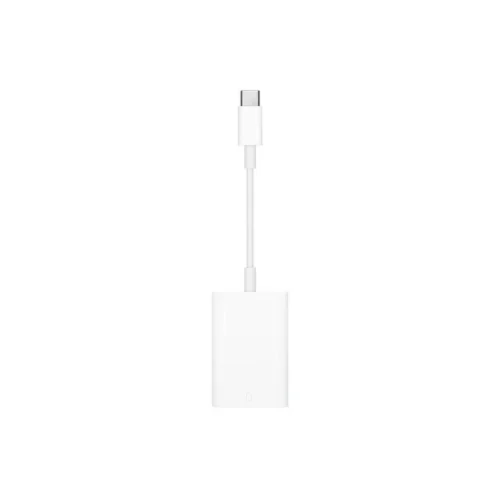
APPLE USB-C Digital AV Multiport Adapter: Connect Your Apple Device to a Bigger Display
The APPLE USB-C Digital AV Multiport Adapter, part number MW5M3ZM/A, is a genuine Apple accessory that turns a single USB-C port on a compatible Mac or iPad into a set of digital audio and video connections. It is made for people who regularly present, share a screen, or work at a desk with an external monitor, and who want a clean, Apple-made solution rather than an unknown third-party adapter.
USB-C has become the standard port on modern Apple devices, but most televisions, projectors, and monitors still use older video connectors. A multiport adapter bridges that gap. Instead of carrying several cables, you connect one adapter to your device and attach your display cable to it. This keeps your bag lighter and your workspace tidier.
Key features
- Genuine Apple accessory, designed for use with Apple devices that have USB-C ports
- Digital audio and video outputs in one compact unit
- Plugs straight into a USB-C port with no separate power supply
- Small enough to keep in a laptop bag or pocket
- Apple part number MW5M3ZM/A, useful when reordering or matching a replacement
The supplier description for this product is brief, so the exact list of ports, supported resolutions, and pass-through charging behaviour should be confirmed against Apple’s current product specifications before you promise them to a customer.
Typical uses
The adapter suits a range of everyday situations:
- Mirroring or extending a laptop screen to a monitor or television in a home office
- Presenting slides in a boardroom or classroom with a projector or display
- Connecting a tablet or laptop to a large screen for video calls or content review
- Travelling with a small kit so you can connect to hotel or conference displays
Getting the best results
To get a stable picture, use a good quality display cable between the adapter and the screen, and make sure the display input is set to the correct source. If the image is not detected, check that the device is fully awake, that the cable is seated firmly in both ports, and that the display supports the signal type the adapter provides. Restarting the device after connecting can also help the system recognise the new display.
Who it is for
This adapter is a good fit for professionals, students, and educators who already use Apple hardware and want a dependable way to show their work on a larger screen. Businesses that equip staff with Apple devices can also use it as a standard accessory for meeting rooms and desk setups, which keeps the setup consistent across users.
Care and handling
Keep the adapter clean and dry, and avoid bending the connector pins. Store it with your devices rather than loose in a bag, where it can be crushed or pulled on. Treating it as a genuine Apple accessory means you can expect it to match the look and feel of the rest of your Apple setup.