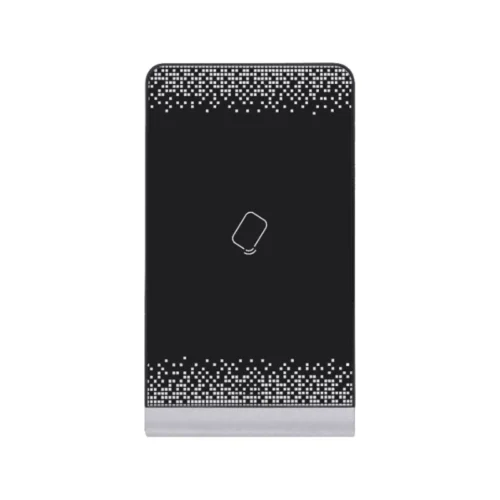
Hikvision DS-K1F600U-D6E-F Enrollment Station for Access Control Systems
The Hikvision DS-K1F600U-D6E-F is an enrollment station, a dedicated device for adding people to an access control system. Before anyone can open a door with a face, a fingerprint or a card, their details and credentials must be registered. This station handles that registration step in one unit, so the operator can capture the person’s face picture, record fingerprints and enrol access cards without moving between several devices.
Access control is only as good as the records behind it. A clean enrolment process at the start makes daily access faster and more reliable. The DS-K1F600U-D6E-F is built around that first step, giving administrators a clear touch screen and a camera that captures good face images for later recognition.
Key features
- Enrols face pictures for face recognition access
- Enrols fingerprints
- Reads and enrols 13.56 MHz Mifare 1 cards
- Reads and enrols DESFire cards
- Reads and enrols FeliCa cards
- Reads and enrols 125 kHz EM cards
- 3.97-inch LCD touch screen for guided operation
- 2 megapixel wide-angle lens for face capture
- Hikvision brand, part of the Hikvision access control range
Why multi-card support matters
Many buildings are fitted over several years, and cards from different generations often remain in use. Supporting Mifare 1, DESFire, FeliCa and 125 kHz EM cards in one enrolment station means a site can keep its existing credentials and add new ones without buying separate enrolment hardware for each technology. Staff can be given the card type that matches the readers at their door.
Face picture and fingerprint enrolment
The 2 megapixel wide-angle lens captures the face in a single frame, including people standing close to the device. A clear enrolment image is the foundation for accurate recognition at access points later. Fingerprint enrolment adds a second biometric option for people who prefer it, or for sites where a card should not be the only credential.
Touch screen operation
The 3.97-inch LCD touch screen shows the enrolment steps and the captured results. Operators do not need a computer at the desk to start the process, which keeps the enrolment desk simple and fast, especially during busy periods such as the first week of a new term or a new office move.
Typical uses
- Staff registration at offices, factories and head offices
- Resident and visitor enrolment at estates and residential complexes
- Pupil and staff enrolment at schools and campuses
- Enrolment at hospitals, clinics and other controlled sites
- Issuing replacement cards and adding new fingerprints
Installation and planning
Place the enrolment station at a reception or administration desk where the operator can see the screen and where enrolment can take place out of public view. Plan the link to the access control software before installing, as the enrolment data must reach the system that controls the doors. Confirm with your Hikvision supplier which software versions and access controllers the station is designed to work with. Keep enrolled records and card numbers in an organised list so that staff changes can be processed quickly.
Who should buy it
This device is a good fit for facilities managers, security integrators and in-house administrators who manage access for many people. If you only need to open a door with a card and have no enrolment work, a standard reader may be enough. For sites that enrol people regularly, a dedicated station saves time and reduces errors at the desk.