Lenovo South Africa Channel Awards
Congratulations to our Server Team. Distributor of The Year!







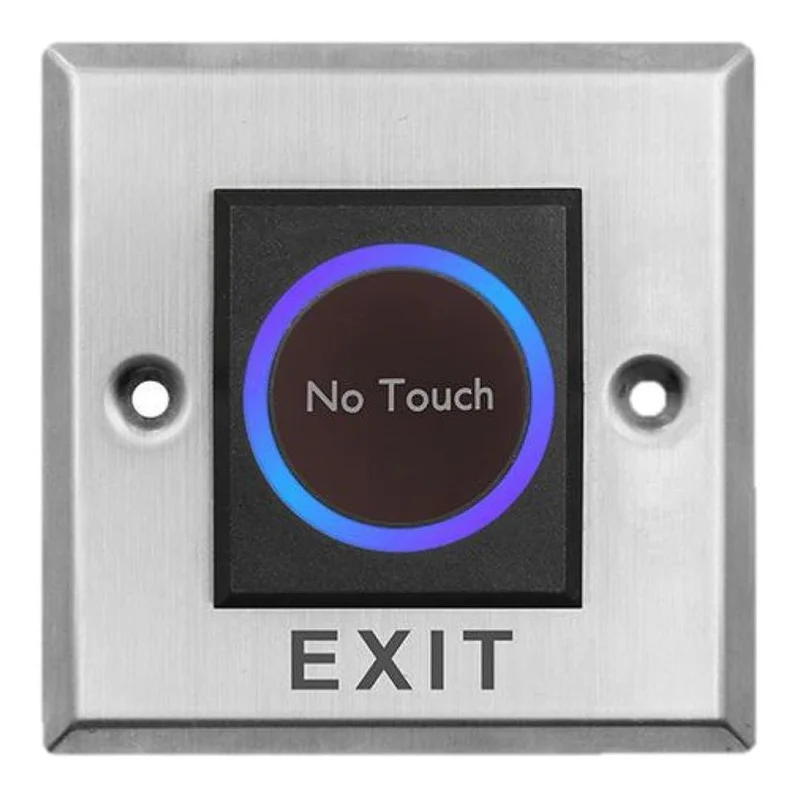
The Hikvision DS-K7P08 is a touchless exit button designed for doors that are part of an access control system. Instead of pressing a mechanical switch, users activate the button without physical contact, which can be a practical choice for busy entrances, offices, clinics, schools and other buildings where many people pass through the same door every day.
Exit buttons are a standard part of most access control installations. Inside a secured area, a person who wants to leave presses the exit button, and the door is released without the need for a card or code. The DS-K7P08 performs this role while keeping the look of the installation clean and modern, thanks to its stainless steel panel.
The stainless steel panel gives the DS-K7P08 a neat, professional appearance that fits well with other access control hardware and with contemporary interior finishes. Its square profile of 86 by 86 millimetres and shallow depth of 16 millimetres means it can be mounted on a wall close to a door without protruding far from the surface.
The green and blue LED shows the operating state of the device. According to the product information, the LED indicates when the unit is working and when it is in standby. This gives building staff and installers a simple visual check that the exit button is ready for use.
The DS-K7P08 suits a range of settings where controlled entry and exit are needed:
As with any access control component, the exit button should be installed by a qualified technician. It is intended to work as part of a complete access control system, so the controller, door lock and any cabling must be compatible with the rest of the installation. The product information does not list wiring details, power requirements or compatible controllers, so these should be confirmed with the supplier or the system designer before installation.
Touchless operation reduces the number of shared surfaces people touch when leaving a building. It also removes the wear that mechanical push buttons experience over time in high-traffic areas. Combined with a stainless steel panel and a clear status LED, the DS-K7P08 offers a practical solution for organisations that want a reliable and tidy exit point for their access control system.