Lenovo South Africa Channel Awards
Congratulations to our Server Team. Distributor of The Year!







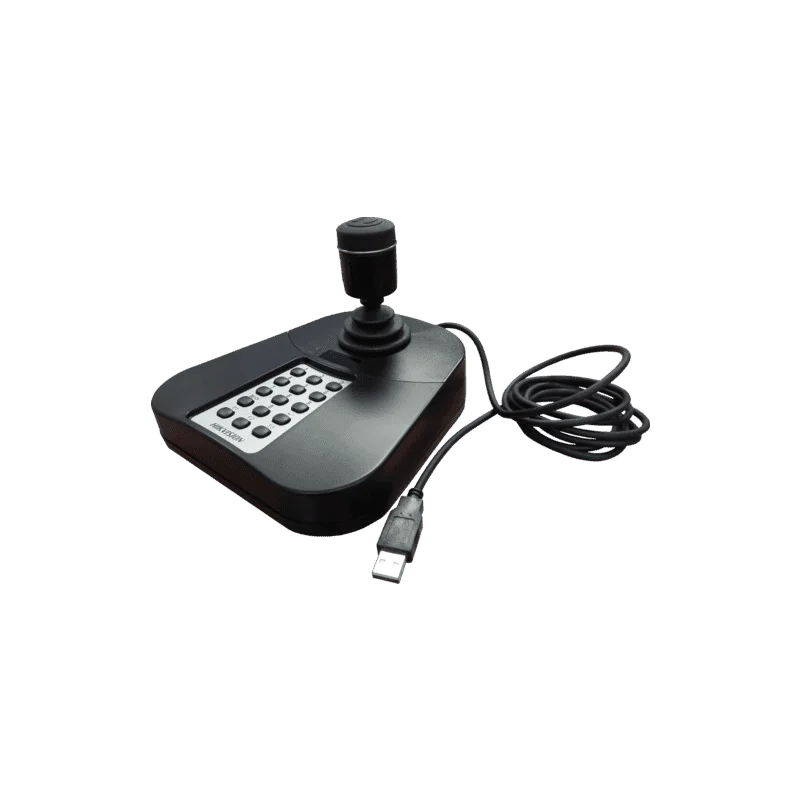
The DS-K1005KI is a USB control keyboard with an integrated 4-axis joystick, sold in the Hikvision IP Video accessories range. It is built for operators who need hands-on control of a surveillance system. Instead of working only with a mouse and keyboard on a standard computer, the operator can use a dedicated controller to move through live camera views, play back recorded footage and manage the recording equipment and software at the same time.
Surveillance is most effective when the people watching the screens can respond quickly. A controller designed for the job reduces the number of clicks needed for common actions and keeps the operator focused on the video. The DS-K1005KI is aimed at that workflow, which is why it is listed alongside network video recorders, IP cameras and the HikCentral software in the same product sheet.
The DS-K1005KI is used to control DVR and NVR units and the surveillance software that runs with them. It is an accessory, so it is intended to work as part of a larger Hikvision installation. It does not replace the recorder or the cameras. Instead, it gives the operator a faster and more natural way to use the system that is already in place.
The joystick is the central feature. A joystick is well suited to moving cameras that support pan, tilt and zoom, because the motion is smooth and easy to control by hand. For a control room operator following a person or vehicle across a site, this kind of direct control is often more practical than repeatedly clicking on on-screen buttons.
Before ordering, confirm that your recorder model and software version are supported by this controller. Compatibility is the key point to check, because a controller is only useful when the recorder and the software recognise it. If your system uses other Hikvision equipment, check that it sits within the same product family and firmware generation.
Plan the physical installation as well. Check the cable length from the controller to the computer, and make sure there is enough space on the desk for the joystick to move freely. A stable, clear surface makes it easier to use the joystick accurately over long shifts. Keep the USB cable away from areas where it could be pulled or stepped on.
The DS-K1005KI suits security installers, system integrators and facility managers who want a dedicated controller for a Hikvision video system. It is also a sensible choice for control room staff who spend long periods watching and managing live video. Anyone who finds that a mouse slows down camera control will notice the difference quickly.
This controller is best purchased together with the recorder and cameras it will control, or as an addition to an existing Hikvision system. If you are unsure which accessories match your setup, speak to a product specialist before ordering so the controller can be matched to the correct recorder and software version.