Lenovo South Africa Channel Awards
Congratulations to our Server Team. Distributor of The Year!







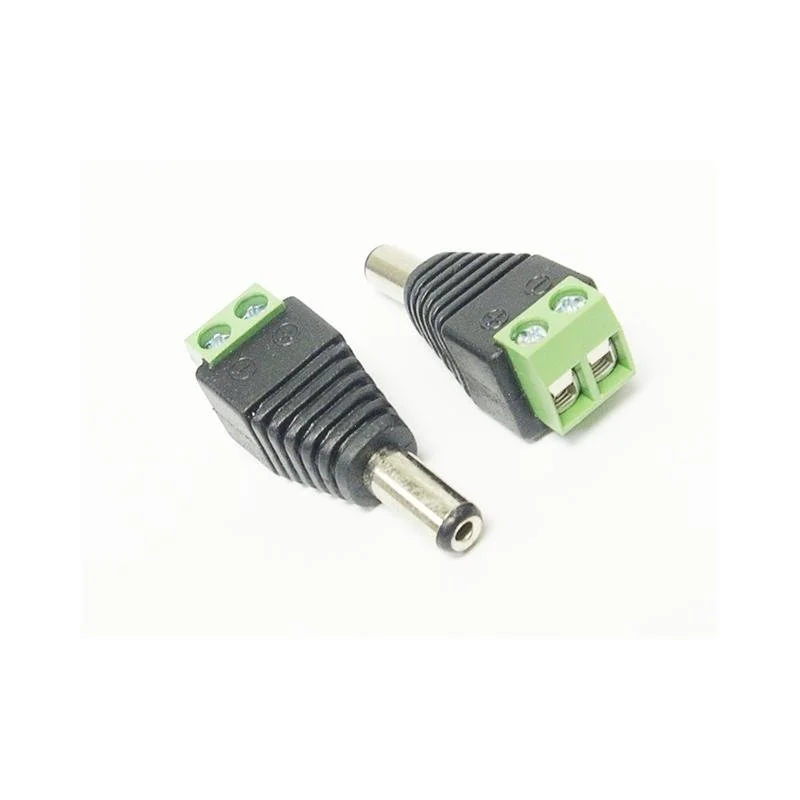
The Hikvision DC Plug incl Terminal Connector Block is a practical accessory for installers working with Hikvision analogue (TVI) CCTV systems. It brings together a DC plug and a terminal connector block, two parts that are commonly needed when a camera or other device is powered from a separate DC supply. Its place in the ACCESSORIES section of the Hikvision analogue range reflects its role as a supporting component rather than a stand-alone surveillance device.
Every CCTV system depends on dependable power. Cameras, DVRs and monitors each need a correct and steady supply, and the connections between the power supply and the equipment are a frequent source of problems. A poor joint can cause a picture to flicker, a camera to reboot or a recorder to lose footage. Using a purpose-made DC plug together with a terminal connector block gives the installer a clear, organised point where wires are secured, which supports a more reliable installation from the start.
A DC plug is the connector that fits into the socket of a device to deliver direct current power. A terminal connector block is a housing with clamping points where individual conductors are held in place. Combined, the two allow power leads to be terminated neatly and then connected to the equipment. The product is intended for use within an analogue CCTV setup and is sold through the Hikvision analogue sheet of the dealer price list.
Exact voltage rating, current capacity, dimensions and wire gauge are not stated in the supplied description, so these should be confirmed before purchase.
Installers most often use a DC plug and terminal block when they need to power a device from a regional supply or a distribution point instead of a single adaptor. The arrangement can make it easier to route power to several cameras from a central supply and to keep the connections accessible for maintenance. It is also useful when an existing power lead has been damaged and needs to be re-terminated without replacing the entire cable run.
Good workmanship makes a large difference to long-term reliability. Strip conductors cleanly, avoid stray strands, and fasten each wire firmly in the terminal block. Check polarity before powering up, because reversed connections can damage equipment. Where cables are exposed to weather or movement, protect the joint and allow a little slack so that the connection is not under strain.
Before ordering, check the voltage and polarity requirements of the cameras, recorders or other devices in the installation, and make sure the supply matches them. Consider the total load on the power supply, the length and gauge of the cable, and whether the connections need to be accessible for future servicing. Where any doubt exists, confirm details with the supplier or the manufacturer.
This accessory is well suited to security installers, electrical contractors and system integrators who maintain or install Hikvision analogue CCTV systems. It is also useful for technicians carrying spares who want a dependable way to repair or extend DC power connections on site.