INFRASTRUCTURE TEAM
+27 (0) 11 237 1000
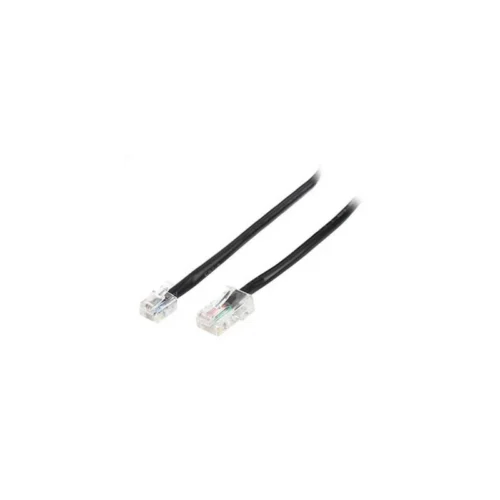
The Epson Serial Cable with a 9-pin female connector at one end and a 25-pin male connector at the other is an accessory for Epson POS printers. It is used to link a serial-equipped Epson point-of-sale printer to a compatible device, so that receipts, slips and reports can be sent from the till system to the printer.
Serial connections remain common in retail, hospitality and small business environments where older or dedicated POS hardware still relies on RS232 communication. A cable with the correct connector genders and pin layout avoids the need for adapters and helps keep the setup simple when a printer is installed, replaced or moved to a new counter.
Because the 9-pin end and the 25-pin end are different connector types, this cable is meant for a specific pairing of ports. Check that the socket on your printer and the port on your computer or till match the connector sizes listed before ordering, as the cable is not interchangeable with USB or Ethernet connections.
This item is part of the Epson POS consumables and accessories range, which also includes interface cards, power supplies, till rolls and ink ribbons. Ordering the cable alongside the rest of your point-of-sale kit helps keep the setup consistent and makes it easier to source parts for the same printer family.

The Epson Serial Cable (9-pin F to 25-pin M) is a point-of-sale accessory designed to connect an Epson POS printer to a serial port. Its 9-pin female connector and 25-pin male connector make it suitable for linking devices that use the two different serial connector types. It is listed under the Epson POS consumables and accessories range.
In a retail or hospitality environment, reliable communication between the till and the printer is essential. Serial communication has long been used in POS systems because it is stable and widely supported by legacy hardware, cash registers and dedicated terminals. This cable allows an Epson receipt or slip printer to receive print data over that serial link.
The cable is typically used in the following situations:
Before buying, confirm that your printer and host device use a serial interface and that the connector sizes match. The 9-pin and 25-pin ends are not the same size, so a straight connection is only possible if both ports are of the matching type. If your system uses a different connection method, a USB or Ethernet interface card or a suitable cable may be needed instead.
Power down the printer and the host device before connecting the cable. Route the cable away from heavy traffic and sharp edges, and secure the connectors so they do not work loose during daily use. After connecting, run a test print to confirm that the printer responds. If communication fails, check the port settings in your POS software and confirm that the baud rate and other serial settings match the printer configuration.
Using a cable with the correct connector genders and pin layout saves time and avoids the need for improvised adapters. It also helps keep your point-of-sale setup tidy and dependable. Keeping spare cables on hand is a sensible precaution for busy shops, where a single faulty lead can stop the till from printing receipts.
Store the cable in a dry place and avoid tight bends near the connectors to extend its service life. Labelling cables by printer or counter makes replacements quicker to identify.

The Epson Serial Cable with a 9-pin female connector at one end and a 25-pin male connector at the other is an accessory for Epson POS printers. It is used to link a serial-equipped Epson point-of-sale printer to a compatible device, so that receipts, slips and reports can be sent from the till system to the printer.
Serial connections remain common in retail, hospitality and small business environments where older or dedicated POS hardware still relies on RS232 communication. A cable with the correct connector genders and pin layout avoids the need for adapters and helps keep the setup simple when a printer is installed, replaced or moved to a new counter.
Because the 9-pin end and the 25-pin end are different connector types, this cable is meant for a specific pairing of ports. Check that the socket on your printer and the port on your computer or till match the connector sizes listed before ordering, as the cable is not interchangeable with USB or Ethernet connections.
This item is part of the Epson POS consumables and accessories range, which also includes interface cards, power supplies, till rolls and ink ribbons. Ordering the cable alongside the rest of your point-of-sale kit helps keep the setup consistent and makes it easier to source parts for the same printer family.
Share this on your favourite channel: